Domain Authority checker for WordPress, plus a free DA badge
Check your site's Domain Authority (DA) for free, then put the score on your WordPress site as a small live badge. You don't need a plugin. WordPress already accepts raw HTML in a Custom HTML block, and that's all the badge needs. This guide covers block themes, classic themes, single pages and the WordPress.com plan limits that trip people up.
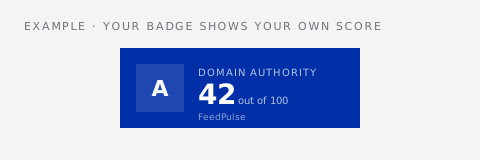
What you're adding to WordPress
The badge is one async script tag plus a noscript fallback link. You get the snippet from the free domain authority checker on FeedPulse: type your domain, pick a theme (10 options) and a size (hero, card, pill or micro), then copy. When a visitor loads your page, the script makes a single request and draws the badge where you pasted the code. It shows your domain's 0-100 score and a short FeedPulse attribution. There's no account, no API key and no WordPress plugin to keep updated.
Add the DA badge with a block theme (Twenty Twenty-Four, Twenty Twenty-Five and similar)
- 1Open the domain authority checker, type your domain and click Check. In the badge panel, pick a size and theme, then click Copy on the embed code.
- 2In WordPress admin, go to Appearance → Editor. If the badge should show on every page, open Patterns → Template Parts → Footer. For one page only, open that page in the page editor instead.
- 3Click the + inserter, search for "Custom HTML" and add the block where the badge should sit, for example next to the copyright line.
- 4Paste the snippet into the block. Use the block's Preview tab to see the badge render inside the editor.
- 5Click Save. If you run a caching plugin (WP Rocket, LiteSpeed Cache, W3 Total Cache and so on), purge its cache, then reload your site in a private window.
Add it with a classic theme
- 1Copy the embed code from the domain authority checker, as above.
- 2Go to Appearance → Widgets and open the widget area where you want the badge, usually Footer or Sidebar. The area names come from your theme.
- 3Add a Custom HTML widget (in the block-based widget screen it's the Custom HTML block), paste the snippet and click Update.
- 4Purge any page cache and check the live site in a private window.
Where a DA badge works best on a WordPress site
Put it where people decide whether to trust you: the footer, an About page, a Write for us page or an Advertise page. Sites that sell sponsored posts or accept guest posts get the most from it, because the people reading those pages usually check DA anyway. A badge in the footer answers that before they open another tab. Avoid the header or the first screen of a blog post. A metric there competes with your content and adds nothing for a reader who came for the article.
WordPress gotchas
On WordPress.com, only plans that allow plugins keep <script> tags in a Custom HTML block. On lower plans the editor removes the script, and you'll see only the fallback text link. Self-hosted WordPress (WordPress.org) has no such limit.
Elementor, Divi, Beaver Builder and similar builders all have an HTML or Code module. Paste the same snippet there instead of a Custom HTML block. The badge doesn't care which one you use.
Plugins that delay or combine JavaScript can hold the badge back until the first scroll or click. If it shows up late, exclude feed-pulse.com/api/badge from the plugin's delay list.
The d= value in the snippet is the domain the badge reports on. Check that it's the domain visitors actually see, without https:// or a trailing slash.
Choosing a badge size and theme for WordPress
Most WordPress footers are narrow and dark, so the card size with a dark theme (Indigo, Obsidian or Noir) usually fits best. The pill size suits a sidebar or a single line next to your copyright text, and micro is small enough for a row of trust icons. On a light theme like Twenty Twenty-Five's default style, Ivory or the transparent theme blends in without a box. Use hero only on a dedicated page, such as an About or Advertise page, where the score is the point of the section. Whatever you choose, the badge keeps the same size on mobile. Check a phone-width preview so it doesn't push the footer wider than the screen.
Common mistakes when adding a DA badge to WordPress
A Paragraph or Code block shows the snippet as text instead of running it. Only Custom HTML (or a builder's HTML element) runs the script.
Block themes can have several footer template parts. If the badge doesn't appear, check which footer your pages actually use under Patterns → Template Parts.
Page-cache and CDN plugins keep serving the old page until you purge them. Purge, then test in a private window.
Two badges on one page usually means the code was pasted into a widget area and the footer template. Keep one copy, ideally in the footer.
What the number on the badge means
Domain Authority is Moz's 0-100 prediction of how likely a domain is to rank, based mostly on its backlink profile. It's a third-party estimate, not a Google metric, and Google doesn't use it. FeedPulse shows Moz's official score whenever our free Moz quota allows. When it doesn't, the score is an estimate calculated from OpenPageRank data, and the badge labels it "est." so nobody mistakes it for Moz's number. Moz's own score is kept for up to 30 days and an estimate for one day, so the badge never calls Moz on each page view.
Checking that it worked
Open your live site in a private window, so you don't see a cached logged-in version, and look for the badge where you pasted it. If you see a plain text link instead, the script was stripped: see the WordPress.com and unfiltered_html notes above. If you see nothing at all, view the page source and search for "api/badge/da.js". If it isn't there, the change wasn't saved or your cache is still serving the old page.
Questions
Do I need a WordPress plugin to show my Domain Authority?
No. A Custom HTML block (or a Custom HTML widget in classic themes) accepts the badge snippet as it is. Nothing gets installed, so there's nothing to update or remove later except the block itself.
Will the DA badge raise my Domain Authority?
No. The badge displays your score; it doesn't change it. Its link points from your site to FeedPulse, not the other way round, so it gives you no backlink. DA only moves when other sites link to yours.
Does the badge slow down my WordPress site?
It loads with the async attribute, so it never blocks the rest of the page from rendering. It makes one small request to FeedPulse per page view and draws the badge afterwards.
How often does the score on the badge update?
Moz's own value is reused for up to 30 days, and an OpenPageRank-based estimate is rechecked daily.
Is it the real Moz Domain Authority?
When our free Moz quota allows, yes: it's Moz's official score. Otherwise it's an estimate from OpenPageRank data, and the badge marks it "est." The full result on the domain authority checker page always names the source.
Can I show the badge on just one post?
Yes. Add a Custom HTML block inside that post instead of the footer. It will appear only where you place it, and other posts stay untouched.
What happens if I remove the block later?
The badge disappears from the next page load. Nothing is left behind in your database or theme, because there's no plugin and no stored settings.